An AI-ready knowledge base is one where every source your AI Assistant reads is current, has a single version, agrees with every other source, and has a named owner. If your chatbot knowledge base doesn't meet those four tests, no model upgrade will stop it giving wrong answers. Most teams loaded their content once, at launch. Policies changed after that. Managers left. Benefits providers were replaced. The documents stayed exactly as they were, and the assistant kept reading them.
This checklist walks through the work in four stages: Find, Fix, Flag and Follow up. Work through it once to get your knowledge base AI-ready, then use the last stage to keep it that way.
You can't fix content you don't know is there. Start with a full inventory.
This is where most accuracy problems disappear.
Some problems can't be fixed by deleting a file. They need someone to decide.
An AI-ready knowledge base isn't a one-time project. Content starts aging the day you fix it.
A wrong answer about the weather is harmless. A wrong answer about parental leave, overtime eligibility or a benefits deadline is not. Employees act on what your assistant tells them, and it takes only one or two confident wrong answers before they stop asking and go back to emailing HR. If you want to know why this happens in the first place, read why your AI Assistant gives wrong answers. The short version: it's almost always the content, not the AI.
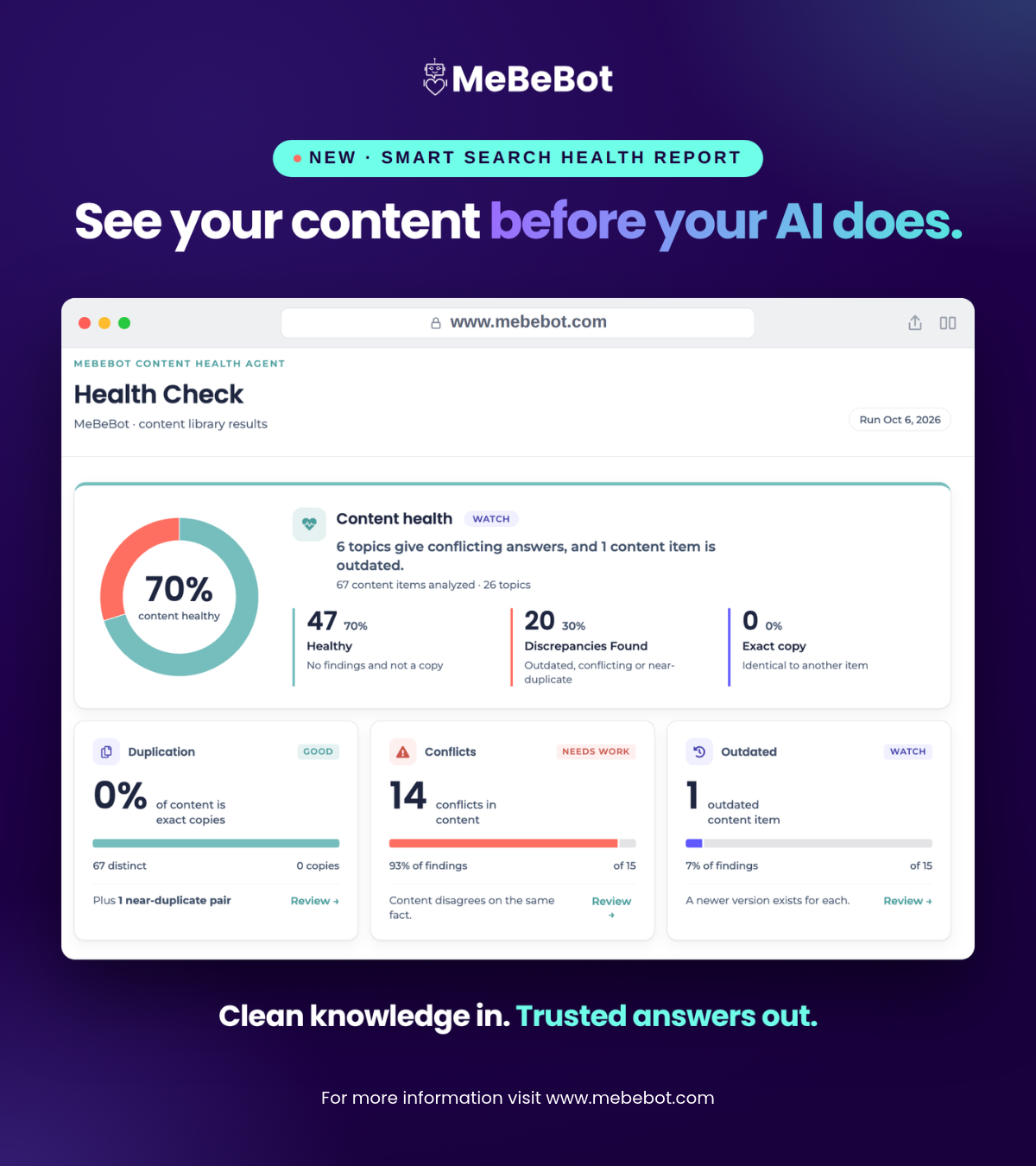
Working through Stages 1 to 3 by hand can take weeks for a large knowledge base. A Smart Search Health Report does the first pass for you: it shows what your AI Assistant is reading, and what's duplicated, outdated or conflicting, so your team can start with the fixes that matter most.
What is an AI-ready knowledge base?
An AI-ready knowledge base is a collection of content where every source is current, exists in only one version, agrees with every other source and has a named owner. That gives an AI Assistant a reliable foundation to answer from.
Why does my chatbot knowledge base give wrong answers?
Most wrong answers come from the content, not the model. Outdated, duplicated or conflicting documents lead the assistant to quote the wrong version of a policy with full confidence.
How often should I review my AI Assistant's knowledge base?
Review high-traffic topics quarterly, everything else at least once a year, and any topic immediately after a policy change.
Who should own knowledge base content for an AI Assistant? T
he team that owns the policy should own the content. Benefits owns benefits content, IT owns IT content, and each topic should have one named person responsible for keeping it current.
What are the best practices for an HR knowledge base used by AI?
Keep one source of truth per policy, archive old versions, label regional variations clearly, assign an owner to every topic and retest your most common questions regularly.